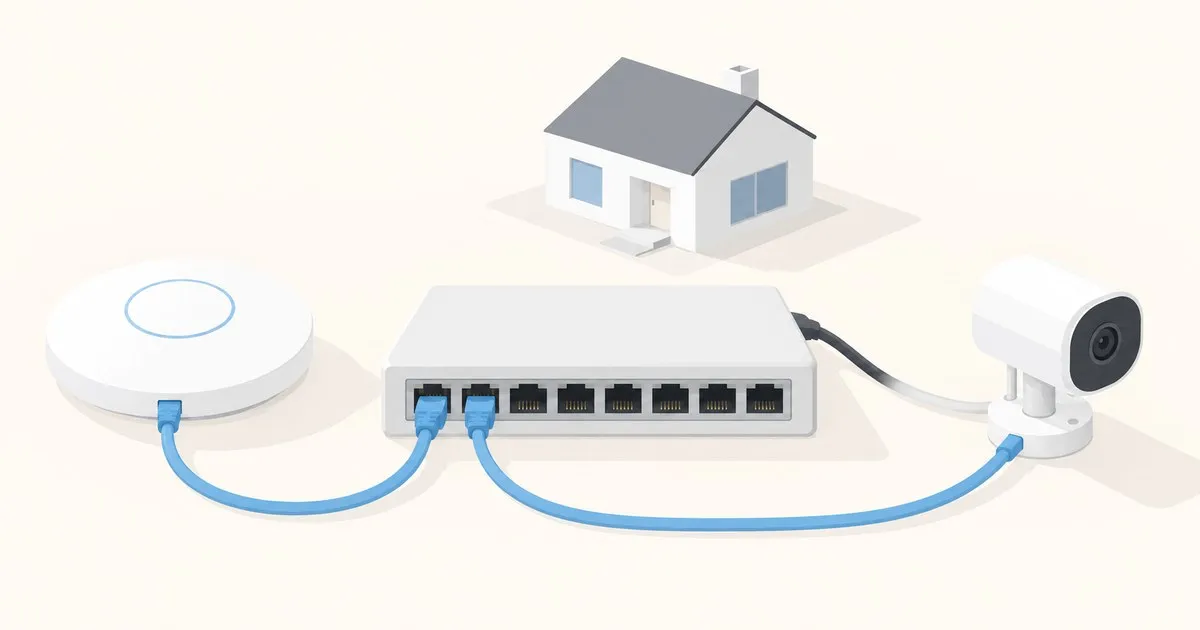
The best UniFi switch for a 2026 home network is almost never the one with the most ports. It is the one whose total PoE budget survives contact with three access points and a camera, and whose uplink is not quietly throttling everything behind it. Ubiquiti’s current lineup makes this easy to get wrong, because two switches in the same family can have very different power budgets, and the bigger one does not always win.
The short answer, by what you actually have
Prices below are the US list prices shown on the Ubiquiti store at the time of writing; specs are from UniFi Tech Specs.
| Your setup | Model | The numbers that matter |
|---|---|---|
| One AP, a few wired drops, no rack | USW-Lite-8-PoE, $109 | 8x 1GbE, 4 PoE+ ports at 30W max, 52W total PoE, fanless, 60W adapter included |
| Eight-plus drops, gigabit is enough | USW-Lite-16-PoE, $199 | 16x 1GbE, 8 PoE+ ports at 32W max, 45W total PoE, 32 Gbps switching capacity, fanless |
| One AP fed from an existing PoE drop | USW-Ultra, from $129 | 8x 1GbE (7 PoE+ out, 1 PoE++ in), no PSU in the box, budget varies 16W to 202W by input |
| Wi-Fi 7 APs or a 2.5G/10G NAS | USW-Flex-2.5G-8-PoE, $199 | 8x 2.5GbE all PoE++ (64W/port), 10G RJ45 + 10G SFP+ combo uplink, 60 Gbps switching |
| One switch for the whole house | USW-Pro-Max-16-PoE, $399 | 12x 1GbE PoE+, 4x 2.5GbE PoE++, 2x 10G SFP+, 180W total PoE, 84 Gbps switching |
| APs plus a camera fleet plus a lab | USW-Pro-Max-24-PoE, $799 | 24 PoE ports, 8 of them 2.5GbE, 2x 10G SFP+, 400W total PoE, 112 Gbps, 1U rack |
| Splitting one drop behind a TV | USW-Flex-Mini, from $29 | 5x 1GbE, USB-C or PoE powered, no PoE output, 2.5W draw |
Most 1 to 3 AP houses land on the Lite 8 PoE or the Flex 2.5G 8 PoE. The jump to a Pro Max is a PoE-budget decision, not a port-count one.
Total PoE availability is the number that decides it
Every UniFi PoE switch publishes two power figures and buyers read the wrong one. Per-port maximum is a ceiling for one port. Total PoE availability is the shared pool every powered device draws from at once.
Compare the two Lite models. The USW-Lite-8-PoE offers 52W of total PoE availability across four PoE+ ports. The USW-Lite-16-PoE offers 45W across eight. The sixteen-port switch has a smaller power budget than the eight-port switch, despite advertising a higher 32W per-port ceiling. Two Lite 16 PoE ports drawing their stated maximum simultaneously would call for 64W out of a 45W pool.
Put a real load against it. A U7 Pro requires PoE+ and lists 21W maximum power consumption. Three of them is 63W, which fits in neither Lite. Two is 42W, which fits the Lite 8 PoE with about 10W of headroom, and a doorbell or a small camera will eat that. Three modern APs is a Pro Max conversation, or a second small switch at the far end of the house.
The labels map onto IEEE standards: 802.3af provides a maximum of 15.4W at the PSE, 802.3at provides 30W, and IEEE 802.3bt-2018 added four-pair delivery at 60W (Type 3) and 90W (Type 4). Ubiquiti calls these PoE, PoE+ and PoE++ in its PoE Availability and Modes documentation, with a “PoE+++” tier on newer hardware for its highest-power four-pair input. Uplink sizing and LACP are covered in UniFi switch uplinks and link aggregation.
How you power the switch changes what the switch can do
This is the trap specific to the Flex and Ultra lines, and it is not obvious from a product photo. Both can be powered over Ethernet, and the total PoE budget they can then hand out depends entirely on the input.
The USW-Ultra publishes a budget of 16W on PoE+ input, 42W on PoE++ input, 52W on the 60W AC adapter, and 202W on the 210W adapter. The USW-Flex-2.5G-8-PoE publishes 16W on PoE+ input, 46W on PoE++, 76W on PoE+++, and 196W on the 210W AC adapter. That is a twelve-fold spread on one part number.
Two consequences. The base USW-Ultra ships without a power supply, so “from $129” is not the finished cost if you need the big adapter. And a Flex 2.5G on uplink power alone is genuinely useful rather than a compromise: StorageReview’s deployment of the Flex 2.5G 8 PoE reported drawing 10.3W of the 76W available on PoE+++ uplink power, no adapter in play. One cable to the closet, a switch and its powered devices at the far end.
When multi-gig earns the extra money, and when it does not
The Flex 2.5G 8 PoE gives you eight 2.5GbE ports, all PoE++ capable at up to 64W each, plus a 10G RJ45 and 10G SFP+ combo uplink, for the same $199 as the all-gigabit Lite 16 PoE. On paper that is an easy win. In practice it needs two conditions:
- Your APs can use it. A Wi-Fi 7 AP with a 2.5GbE port is the main reason to care. Gigabit backhaul caps what the radio can deliver to a fast client. If you are still on Wi-Fi 6 hardware, the uplink is not your ceiling; see U7 Pro vs U6 Pro before spending on ports the AP cannot fill.
- Something upstream is faster than 1G. A NAS on a 2.5G or 10G link, or a gateway with a multi-gig LAN port. Eight 2.5GbE access ports behind a 1G uplink to the rest of the network buys you fast switching between two devices in one room and nothing else.
Sixteen gigabit ports beat eight 2.5G ports if you own sixteen gigabit devices. Count first.
Before you order
- Add up worst-case PoE draw, not typical. Sum the published maximum consumption of every powered device, compare it to total PoE availability, and leave headroom for next year’s addition.
- Check what is in the box. The Ultra ships without a PSU. The Flex 2.5G’s 210W adapter is sold separately. The Lite models include theirs.
- Confirm the uplink path end to end. A 10G SFP+ port on the switch does nothing if the gateway on the other end is gigabit. Pair the switch choice with your gateway selection.
- Plan where it lives. The Lite and Ultra models are fanless (Ubiquiti rates the Ultra at 31 BTU/hr with no active cooling). The Pro Max units are 1U rack hardware; check acoustics before putting one in a bedroom closet.
- Treat the management plane as a device. A managed switch is an addressable host with a web interface and firmware. Keep it off the internet, patch on a schedule, follow the wider stack’s vulnerability news somewhere like TechSentinel, and put it on a management VLAN using our VLAN setup guide.
Buy for the power budget and the uplink. Ports are the cheapest thing on the spec sheet and the easiest to add later.


