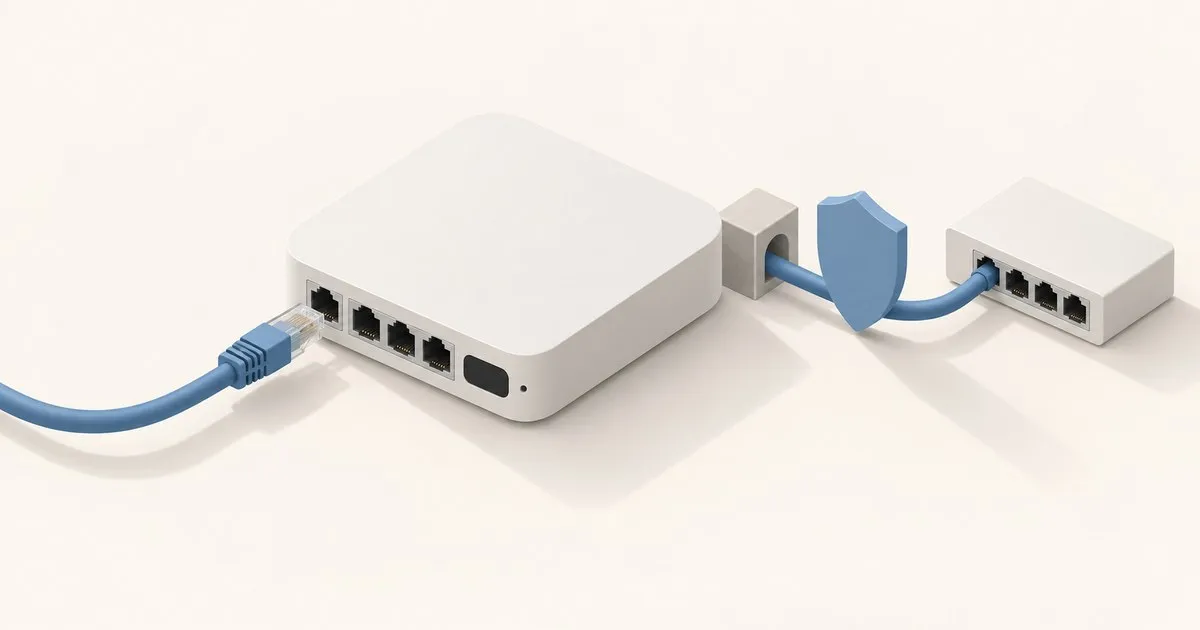
The UniFi Cloud Gateway Ultra (UCG-Ultra) is the best-value Ubiquiti gateway for internet plans of 1 Gbps or less: $129 buys IDS/IPS rated at 1 Gbps, up to four WAN links, OSPF and BGP. Skip it for 2 Gbps fiber or cameras, because its four LAN ports are 1 GbE and it runs only the Network app.
The port map is the decision: one 2.5 GbE RJ45 WAN, four 1 GbE RJ45 LAN, no PoE output, no radio, and a 1 Gbps IDS/IPS throughput rating, for $129 on the Ubiquiti store. Everything else about the UCG-Ultra is generous for the money. That LAN side either will not matter at all or will ruin the build.
What you are actually buying
Ubiquiti’s tech specs list a quad-core ARM Cortex-A53 at 1.5 GHz, 3 GB of memory and 16 GB of storage in a fanless shell drawing 6.2 W over USB-C. The polycarbonate case measures 141.8 x 127.6 x 30 mm, weighs 520 g and carries a 0.96-inch status display.
| Spec | UCG-Ultra |
|---|---|
| WAN | (1) 2.5 GbE RJ45 default, 4 max |
| LAN | (4) 1 GbE RJ45 |
| IDS/IPS throughput | 1 Gbps |
| IDS/IPS signatures | 55,000+ with CyberSecure |
| Managed UniFi devices | 30+ |
| Simultaneous clients | 300+ |
| MAC address table | 2,000 entries |
| PoE output | None |
| UniFi applications | Network only |
| Power | 6.2 W max, USB-C, 21 BTU/hr |
| Operating temperature | -10 to 40 °C |
| Price | $129 list ($142 with the US store’s surcharge, October 2026) |
Read the “UniFi Application Suite” row carefully. It says Network, and nothing else. No Protect, no Access, no Talk, no NVMe slot, so cameras are off the table until you add a separate NVR. It is listed NDAA compliant, which matters for government-adjacent work.
The 1 Gbps ceiling is the whole review
The 2.5 GbE WAN port looks like headroom. It mostly is not. Every LAN port is 1 GbE, so a single client tops out near 940 Mbps of TCP goodput whatever the ISP delivers. LazyAdmin’s review goes further and reports the LAN ports in aggregate are also limited to roughly 1 Gbps upstream to the WAN, which makes the 2.5 GbE port a link-negotiation convenience for 2.5G-only ISP handoffs rather than usable multi-gig capacity.
The 1 Gbps IDS/IPS rating lines up with that: routing ceiling and inspection ceiling are the same number, so you are not trading throughput for inspection. Watch PPPoE, which adds 8 bytes per frame and pushes work onto the CPU. Check your MSS clamping if your ISP hands you PPPoE rather than DHCP.
The ceiling applies inside the house too. iFeeltech’s review notes that the 1 Gbps IDS/IPS routing limit also covers LAN-to-LAN traffic routed through the gateway, so a NAS on one VLAN and a workstation on another share that gigabit. Keep heavy pairs on the same VLAN behind a switch.
Gigabit plan, no problem. 2 Gbps fiber, you have bought a bottleneck.
What published reviews and tests report
LazyAdmin scores the UCG-Ultra 4.8 out of 5 and iFeeltech 4.5, and they agree on the verdict: right for gigabit-or-slower homes and small offices, wrong for 2 Gbps service. Neither publishes lab measurements of its own, so read every figure below as a rating, an estimate or a community report rather than a benchmark.
| Measure | Figure | Basis |
|---|---|---|
| Routing with IDS/IPS on | 1 Gbps | Ubiquiti spec sheet |
| Sustained WAN throughput, IDS/IPS on, DHCP | About 900 to 950 Mbps | iFeeltech expectation |
| Gigabit PPPoE | 850 to 950 Mbps | Community reports cited by iFeeltech |
| WireGuard and Site Magic | Up to 500 Mbps | LazyAdmin estimate |
| WireGuard in daily use | Roughly 300 Mbps peak | LazyAdmin’s author, a year after the review |
| WireGuard server | 300 to 600 Mbps | Community benchmarks cited by iFeeltech |
iFeeltech’s baseline is UniFi OS 5.x and Network 9.x on 1 Gbps symmetric DHCP fiber (June 2026). So a wired speed test in the 900s with IPS on is the gateway working as designed, not a fault, and VPN should be budgeted at roughly a third of line rate; LazyAdmin’s author blames the CPU.
Firewall and IDS/IPS: free tier versus CyberSecure
The security list is the one the expensive gateways get: stateful firewall, application-aware Layer 7 firewall, DPI and traffic identification, zone-based firewall with region, domain and app filtering, content filtering, ad blocking and intrusion prevention. Most vendors gate zone-based policy behind a business SKU.
The signature count needs an asterisk. The 55,000+ figure is explicitly “with CyberSecure.” Out of the box, Ubiquiti’s IDS/IPS documentation describes thousands of signatures grouped into threat categories. CyberSecure layers Proofpoint and Cloudflare threat intelligence on top, extending the database and adding enhanced content filtering; the store lists it as a $99 add-on per gateway, billed annually. The base tier is usable; the subscription is an upgrade, not a paywall.
Two operational notes from the same doc. Enabling intrusion prevention raises CPU and memory use, and Ubiquiti caps how many networks it applies to at once, so pick your VLANs rather than blanketing everything. Set Detection Mode to Notify and Block (IPS) if you want hits dropped rather than only reported. And there is a documented self-test: enable the Malicious User Agents category under Hacking and Exploits, then from a LAN client run curl -A "BlackSun" http://www.example.com and confirm the hit lands under System Log > Threats or Insights > Traffic Flows > Threats. Run it before you trust the dashboard. For context on what those signatures chase, TechSentinel tracks the disclosures that end up in these rulesets.
Routing features that punch above the price
The spec sheet lists OSPF and BGP. On a $129 desktop box. Also multi-WAN load balancing across four WAN ports, policy-based WAN and VPN routing, advanced NAT including 1-to-1 and NAT pooling, a RADIUS server with RadSec, IPv6 ISP support, IGMP proxy and mDNS. VPN coverage runs to WireGuard, OpenVPN and L2TP servers, Teleport, WireGuard and OpenVPN clients, and site-to-site over Site Magic, IPsec or OpenVPN. At the roughly 300 Mbps of real-world WireGuard reported above, that is fine for remote access and thin for a site-to-site backbone.
Two limits to plan around. The MAC address table holds 2,000 entries, plenty for a house and tight for dense multi-tenant. And there is no LACP, so you cannot aggregate two LAN ports around the 1 GbE cap.
See our gateway selection and routing guide, IoT, guest and trusted segmentation for the VLAN plan, and UniFi VPN remote access setup for the WireGuard and Teleport paths.
Advertising routes from the UCG-Ultra: OSPF and BGP
The UCG-Ultra advertises routes over OSPF or BGP. OSPF is point-and-click in the Network application and advertises the subnets of whichever networks you attach to an area. BGP has no form: you upload an FRR-format config file, and peers receive only the prefixes your network statements and route maps permit.
For OSPF, Ubiquiti’s OSPF article has you create an area (0.0.0.0 for the backbone; Normal, NSSA or Stub, default Normal) and attach networks to it. Separate options push connected and static routes into OSPF. Interface defaults are cost 1, hello 10 and dead interval 40. A gateway enrolled in Site Magic is excluded, since Site Magic already runs OSPF between sites; multi-site management covers when that is the better tool.
For BGP, Ubiquiti’s BGP article lists the UCG-Ultra as supported from UniFi OS 4.1.13:
- Write the file in FRR BGP syntax, advertising each prefix with a statement such as
network 203.0.113.0 mask 255.255.255.0. - Limit what a peer receives with
neighbor <peer-ip> route-map <name> out, and put prefix lists and route maps at the bottom of the file, as Ubiquiti requires. - Upload it. As of UniFi Network 10.2.105, a Cilium peering walkthrough places this under Policy Engine > Policy Table > Dynamic Routing > BGP, in the Configuration File field.
- Over SSH, check
vtysh -c "show bgp summary"andvtysh -c "show ip route bgp". If the file setsbgp ebgp-requires-policy, FRR neither sends nor accepts eBGP routes without an explicit route map.
Where it loses
- No PoE output. Every AP needs an injector or a PoE switch.
- No Wi-Fi. Gateway, not an all-in-one.
- 1 GbE LAN, no LACP. The hard ceiling.
- Network application only. No Protect, Access or Talk.
- Device headroom is soft. Rated 30+ devices, but iFeeltech’s comparison suggests watching performance past roughly 25 managed devices with threat management on.
What is a UniFi Cloud Gateway, and where does the Ultra fit?
A UniFi Cloud Gateway is a Ubiquiti router that also runs UniFi OS and the Network application, so the controller lives on the gateway instead of a Cloud Key or server. Ubiquiti includes the routing and security features without a license and adds free remote management through the UniFi Portal. UCG-Ultra is the compact $129 model.
Ubiquiti’s Cloud Gateway lineup runs to 14 models, up to the Enterprise Firewall Core at 100 Gbps (79 Gbps with IDS/IPS), and pitches the Ultra as “ideal for small-to-medium networks.” Its realistic home and small-office rivals are compared below. Want Wi-Fi and PoE in the gateway itself? The Dream Router 7 adds both; see Dream Router vs Dream Machine.
Ultra vs Max vs Fiber vs Express 7
| Ultra | Max | Fiber | UX7 | |
|---|---|---|---|---|
| Default WAN | 2.5 GbE | 2.5 GbE | 10G SFP+ and 10 GbE RJ45 | 10 GbE |
| Other ports | (4) 1 GbE | (4) 2.5 GbE | (4) 2.5 GbE, (1) 10G SFP+ | (1) 2.5 GbE |
| Max WAN ports | 4 | 4 | 6 | 1 |
| IDS/IPS | 1 Gbps | 2.3 Gbps | 5 Gbps | 2.3 Gbps |
| CPU | 4x A53, 1.5 GHz | 4x A53, 1.5 GHz | 4x A73, 2.2 GHz | 4x A53, 1.5 GHz |
| UniFi devices / clients | 30+ / 300+ | 30+ / 300+ | 50+ / 500+ | 30+ / 300+ |
| Protect | No | Yes (NVMe) | Yes (NVMe) | No |
| Wi-Fi | No | No | No | Wi-Fi 7 |
| Price | $129 | $199 to $479 | $279 | $199 |
Ultra and Fiber prices are Ubiquiti store list prices; in October 2026 the store also showed surcharge-included totals of $142 and $307. Max and UX7 prices are iFeeltech’s from May 2026. The Max price depends on its no-storage, 512 GB, 1 TB or 2 TB option, and the Max store page showed a single $279 in October, so check the variant. Note the Express 7 trap: 2.3 Gbps of inspection and a 10 GbE WAN, but one LAN port and a max WAN count of one, so no multi-WAN failover.
Cloud Gateway Fiber review: what the extra $150 buys
The Cloud Gateway Fiber (UCG-Fiber) is the Ultra’s upgrade for anyone paying for more than 1 Gbps. At $279 on the Ubiquiti store, or $307 with the October 2026 surcharge, it adds 10G WAN, 2.5 GbE LAN, a 5 Gbps IDS/IPS rating and Protect. On a gigabit plan without cameras, that is headroom you cannot use.
Ubiquiti’s Fiber specs move to a quad-core Cortex-A73 at 2.2 GHz with 3 GB of memory, up to six WANs, 50+ managed devices, 500+ clients and a 4,000-entry MAC table. It runs Protect, Access, Talk and Connect alongside Network, with an optional NVMe SSD of up to 2 TB for recordings. The costs are a 54 V DC adapter instead of USB-C, up to 29.4 W before PoE against the Ultra’s 6.2 W, and a case 71 mm longer.
PoE is thinner than the “integrated PoE switch” tagline suggests: StorageReview’s August 2025 review notes that only port 4 supplies PoE+, from a 30 W budget, so it powers one access point. StorageReview called it “one of the most cost-effective ways to introduce 10G networking into a UniFi deployment” but, like the Ultra reviews, published no throughput figures; 5 Gbps is Ubiquiti’s rating.
What you actually need
- Gigabit-or-slower line, separate APs, no cameras. UCG-Ultra. Its case, and a good one.
- Gigabit line, but Protect later or 2.5G LAN clients. UCG-Max, for the 2.5 GbE ports and NVMe slot.
- 2 Gbps or faster fiber. UCG-Fiber, or accept the cap.
- One-box apartment, no multi-WAN. UX7, for the built-in Wi-Fi 7.
- Replacing a USG plus Cloud Key Gen2. UCG-Ultra. Same routing class, one device, 6.2 W.
Community sentiment on r/UNIFI tracks this: gigabit-plan owners are happy, 2 Gbps buyers are not. Anecdote, but it matches the spec sheet.
Related across the network
- Best Homelab Firewall 2026: Four Platforms Compared — firewallcompare.com
- UniFi Dream Machine Pro vs pfSense: Hardware and Cost — firewallcompare.com
- UniFi Home Network Setup: What to Buy First — ubiquitiguide.com
- OPNsense Suricata IDS/IPS: Installation and Tuning Guide — opnsenselab.com
- OPNsense Multi-WAN Failover with Gateway Groups — opnsenselab.com
FAQ
is the unifi cloud gateway ultra worth it?
Yes, if your internet service is 1 Gbps or slower and you do not want cameras. At $129 list, or $142 with the US store’s surcharge in October 2026, it bundles the controller, 1 Gbps IDS/IPS, multi-WAN and VPN servers. For 2 Gbps fiber pick the Cloud Gateway Fiber; for Protect, the Max.
does the ucg ultra need a cloud key?
No. The UCG-Ultra runs UniFi OS and hosts the UniFi Network application itself, so router and controller share one box, and remote management through the UniFi Portal is free. It replaces a USG plus Cloud Key Gen2. The other hosting choices are compared in where to run the UniFi Network Application.
can the ucg ultra power access points?
No. The UCG-Ultra has no PoE output on any of its four 1 GbE LAN ports, so each UniFi access point needs a PoE injector or a PoE switch. If you want the gateway to power one AP, the Cloud Gateway Fiber supplies PoE+ on a single 2.5 GbE port from a 30 W budget.
how much power does the ucg ultra use?
Very little: Ubiquiti rates the UCG-Ultra at 6.2 W maximum, drawn over USB-C at 5 V and 3 A, with 21 BTU/hr of heat. It is fanless, so it is silent, and it is rated for -10 to 40 °C. The Cloud Gateway Fiber, by comparison, draws up to 29.4 W before PoE.


